
FIDGET TOYS TO INCREASE FOCUS AND RELIEVE STRESS
September 19, 2026
Mug warmers aren’t the only things that can help you pass the time during a break at work. For example 3D printed fidgets provide a small repeated action for your hands to perform. Stress relievers aren’t for everyone. Some people prefer a fidget that makes a clicking sound while others may prefer a squeeze fidget.
If you have never 3D printed anything before choosing a simpler design may be a better choice for your first print, You may also want to consider whether or not the fidget makes noise and where you will use it, Hands can easily become preoccupied with fidgets but that doesn’t mean that you will necessarily be able to focus or change your mood with it.
The printed designs in this roundup include a variety of spinners and clickers as well as less traditional fidgets, One of the benefits of 3D printed fidgets is that they can easily be changed to fit your preference like making a fidget more quiet or clicky.
Key Takeaways
- Look over model notes when planning to download or print.
- Start with simple designs for printing if you are still learning.
- Test connected moving parts to ensure they work together.
- Check your printed designs and look for sharp edges or cracks as well as loose parts.
What kinds of motion can a printed fidget offer?
Fidgeting can mean a variety of actions, The best motion is the one your hands enjoy repeating, Clearance is the small gap between printed parts that allows them to move freely without fusing.
Print-in-place design integrates the whole toy with all the moving parts in one printed piece, The remaining space allows for joints hinges and gear train to move and interact with one another. A design may have variations that cause sounds and amounts of resistance to vary. Therefore two copies of the same design may feel very different from each other.
Prioritize motion then determine if the design can print with adequate clearance to move.
- Design type
- Main motion
- Sound or feel
- Assembly
- Spinner
- Turns around a point
- Smooth spin may hum or rattle
- One whole piece or bearing
- Folding cube
- Folds through linked panels
- Repeated folds light taps
- Print-in-place or joined panels
- Slider
- Slides or moves a tab to click a button
- Glides or sharp click
- Often print-in-place; some require post-assembly
- Articulated chain
- Bends link by link
- Rattling movement
Print-in-place or linked after printing
Because it takes time to measure and set up every model we currently only provide a starting point in the table. Fidget spinners vary from model to model. Some are tight while others are loose. Play with the examples below to get an idea for which designs you like best.
15 Best 3D Printed Fidget Toys to Try at Home
Look through the 3D designs and determine what type of motion you’d like to integrate into your work routine. If a spinner looks like it will fit comfortably in your hand and complement your work style consider printing it, Many of these fidget spinners include moving parts and a bearing, Be sure to check the instructions for each model before printing.
Some models are designed to be quiet while others are rattly or clicky, You may find a new kind of motion or a shape you find appealing.
A basic fidget spinner is made up of three arms which turn around a central hub. Some models include bearings which can increase the spin time. Others may require the user to assemble the fidget spinner themselves.
A fidget cube is made up of a bunch of different fidget toys. Each face may contain a switch a ridge or a rolling feature.
Clicker button: Raise a button press it to hear feel a click and release it to reset. Good for people who prefer a more direct one-handed action. Volume will vary based on model and material so it will not be a good option for a quiet desk.
Fidget keychain: Compact option that attaches to a key ring and gives you a small slider wheel rotator. Good for people who want a toy within arms reach. Tiny parts means it can wear out quickly and a bulky ring can get stuck in pockets.
Squeezy ball: Printed shell is shaped like a squishy ball that returns to its original shape. Good for people who want a soft 2-handed squeeze. A rigid filament won’t be as soft and squishy as you’d expect. Thin walls mean easy tears.
Infinity cube: Repeating linked squares fold over one another to create a continuous loop. Good for people who like a continuous flipping motion. Hinges can get bound if gaps close.
Gear fidget: Linking gears together creates a mechanism that provides linked motion for your fingers. Teeth can get caught if stringing happens during printing.
Slider: A tab glides along a track. It’s good to use in a shared workspace to be less disturbing than clickers. A loose track can rattle and a too tight track can stuck.
Ring fidget: A ring fidget spins or rolls on your finger making movement close to your hand. Check ring size with measurements since printed rings may not fit all fingers.
Maze puzzle: A bead or other small object slides along a carved path. It’s good when you prefer a more guided activity compared to free spinning. Be careful if it comes with a bead since it can get lost.
Articulated snake or chain: Bending segments in a snake or other linked shapes can be fun to shift around in your palm. A worn or damaged segment can get the whole unit stuck or broken.
Twist helix: A long spiral shape can freely twist or bend. It is good when you enjoy a flowing movement and an interesting shape. Prints of long elements can take up a lot of space and thin walls can snap.
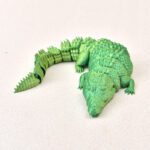
Articulated animal: A jolted leg or jaw can be fun to shift and move around in your hand. It can get broken and small joints can get worn and be hard to repair.
Fractal fidget hexagon: Repeatedly fold or flip interconnected hexagons. Some may like this design better than the cube since it folds in a different way. The many hinges means print quality may be more important and it may print with less clearance.
Spiral cone: A cone-like spiral that turns or flexes in the hand. It gives a simple repeated motion. This may be better for someone who wants a larger surface area grip. Like the cube the spiral cone may also be awkward to carry in a pocket.
A fidget keychain favors portability while a larger more articulated design allows more areas to fidget but may take up more space, Choose the option with the motion you like the most first, Then consider the rest of your environment and how it fits in with your schedule and lifestyle.
Which one do you think would help you the most at home?
When using a fidget at your desk consider the noise it makes, A slider may be better than a clicker since a click may carry further. Also consider shape and material. Some are made with loose parts. Try a one-handed option for desk use. Two-handed options would be better for off-desk use.
A more portable option is a compact spinner or keychain, Small toys can fit in a pocket more easily but small moving parts can lose or wear off with use, Also consider if you want to keep the toy attached to your keys or carry it separately.
Simple shapes can be printed more efficiently and cheaply with less material waste. Designs with moving parts can be great first prints to test the bed leveling and overall function of the printer.
You need to also consider the real world behavior and usage of the design to truly understand what you are getting. Loose parts will scatter when put down. If you need to buy or print something consider why and check the model file to ensure it is adequate for its intended use.
You can get free 3D printed fidget toys from community model libraries. Free models are available but some are behind a paywall. Check the model notes or license for restrictions before printing.
There are many sites with designs for 3D printed fidgets. You can also find similar designs based on the motion you want and check thumbnails for details.
Browse community model libraries
These libraries have a variety of designs and artistic work. You can find classics print-in-place models and more. You can sort by community rating.
MakerWorld
Some models include profiles. Profiles describe the print parameters and are typically created by the printers that fabricated the model.
Thingiverse
Its library has various spinner cube and chain designs.
Cults3D
They have artistic designs (some of which are paid).
Many user comments contain print details but the previews may not provide adequate print settings. Ratings can help you assess options but note that ratings may not apply to your printer.
Print details help you evaluate design quality but you must evaluate design details based on your end goal. For example print orientation helps you understand if design details will create undue stress on the print. Comments may help you interpret the design.
Gear spinners may require bearings and a print-in-place cube design may allow the joints to be free.
Check the license before changing or selling prints. Some licenses restrict certain use cases even if a print is personal.
Can you make a simple fidget in Tinkercad?
Make a model that represents a simple single action like a button press rather than modeling a complex system like gears.
A tactile button or clicker makes a good first toy. It’s also possible to make a one piece static texture. This is simpler still because it has no moving parts. A design with moving parts needs multiple pieces with space between them.
Choose a simple action you can describe in a few words: press slide or turn. A button can be designed as a base and a top. A ridged handheld can also be designed as a single piece if no joint is needed.
Keep the first outline broad and large so that it is easy to grip. A small toy can be printed quickly but if the walls are too thin details will not be printed well. Tinkercad is a good program for beginners because you can easily place and join basic shapes.
Leave space for moving parts
For moving parts the shapes need to be designed to leave some space between them. Test and measure to see how much space you should leave. Be cautious to not design a project that is too complicated for the dimensional accuracy of your printer. This is especially true for your first design. Making a static texture is also challenging and satisfying for your first design.
Use this process for the first design:
- Choose one motion.
- Sketch the main shape.
- Build and check the moving part or parts.
- Export the design.
- Print a small test.
Test how the parts move. Buttons sticking or sliders feeling loose? Then adjust the shape and test again. A custom outline still depends on a filament that gives it the right feel and movement.
Which filament works best for each fidget?
No filament works best for all fidgets. Each fidget is different and has its own unique movement and feel. Start with the movement of the fidget and compare the available filaments. PLA is a good choice for adding small detailed features to a print.
What filament should I use for a hinged print?
TPU works best for a hinge. Not every small feature can be printed with TPU. ABS may also work for small rigid features. ABS can make a more rigid part but may be harder to print.
Can I print something with the strength of ABS but with the ease of PLA?
PETG can bend giving it some flexibility. It can also be used for features that need to be thinner. It can be used for moving parts and may require some adjustment for a print with good detail.
Choose TPU for a flexible squeeze design instead of a rigid gear that needs a firm tooth shape. ABS can create durable but thicker wall parts. An extra thick wall may not work for all home printers. Moving parts can benefit from proper setting tuning.
What print settings help moving parts work?
Sometimes a part looks done printing but doesn’t move. Print in place designs are frustrating enough without first motion failures. Use your slicer experience and model notes to make small adjustments.
Setting variations between printers mean values below are suggested adjustments.
Set layer height
There are cases where a smaller layer height can create better detail on a part like hinges. Try 0.16 or 0.2 mm and see how smooth hinges are on your printer.
Smaller layer heights can also decrease print time. Using a finer layer height can give more curved details. Follow model notes where the layer heights are tested and named. Avoid changing multiple settings at once. You’ll have no way to know which improved results.
Extrusion cleanliness
Check that your extrusion is set properly. A clean neat edge can help keep gaps and joints open. Too much extrusion can close a gap and bind a hinge.
Know the slicer preview and look for gaps and joints that are not clean and neat. Cooling can help.
Check for strings and stray paths while previewing. Use a cooling profile specific to your filament and model. Sometimes a tight clearance may require a different model or a print optimized for that clearance not the use of force after the print.
Keep first layer joints from fusing
A first layer that spreads too far can fuse two adjacent parts at the build plate. In such a case you can try adjusting the flow rate to 97-98% or try increasing the first layer height by -0.2 mm.
Check the following before starting a moving fidget print.
Is the orientation of the model correct?
Is the filament of the correct type?
Is there enough clearance between moving parts?
Print a small test model to check if you can move the joints. If the test model is stiff or it breaks you can make small changes based on your judgment, If a small change doesn’t help use the symptom to decide on the next change.
How do you fix a fidget that sticks or breaks?
You can print a test cube and check if its side walls are stuck together. In that case you can match the symptom to one change before making multiple changes to the printer settings. Print results may vary so test one change at a time.
Use the table as your first step not the final word. A model may require a large change and a rough joint can be due to the settings or the model. Look through the file’s notes before making large changes.
- Symptom
- Most Likely Cause
- First Fix
- Stuck Print
- Tight clearance extrusion too high
- Decrease flow by 2-3%
- Stuck gears or spinners
- Stringing
- Lower nozzle temp by 5°C increase retraction
- Snapping part
- Weak walls or infill
- Try 3 or 4 walls and 30-50% infill
- Rough or bumpy surfaces
- Inconsistent extrusion or issue with the model
- Check model and extrusion before printing
For stuck parts try a 2-3% flow reduction to give more space between printed parts. For stringing that is blocking a gear or spinner try lowering the nozzle temp by 5°C and increasing retraction.
Parts that snap mayneed 3 or 4 walls and 30-50% infill for better strength and structure. If you need a rough surface check the model for any errors and check the extrusion settings to see if they are correct. Choose a toy that works well for you maybe one that would work better in a quieter more adult environment like a home a library etc.
What fidget toy is good for adults? Which one is best for a quiet workspace? Which one is best for pockets?
Many clickers can be really distracting to others if they aren’t considering fit and ease for others. Smooth sliders and rings may be better for a more quiet workspace. A clicker may be easy to use with one hand but its sound can carry in a quiet room. A small movement can still grab a coworker’s attention if repeated often.
Maybe a clicker is good for a workstation but a smooth slider or ring is better for a shared workstation.
